
Amazon Echo Dot (Newest Model) Review: Is This Compact Alexa Speaker Worth Buying in 2026?
Disclosure: This article contains affiliate links. If you purchase through a qualifying link, we may earn a commission at no additional cost to you. Prices, availability, and Amazon offers can change at any time.
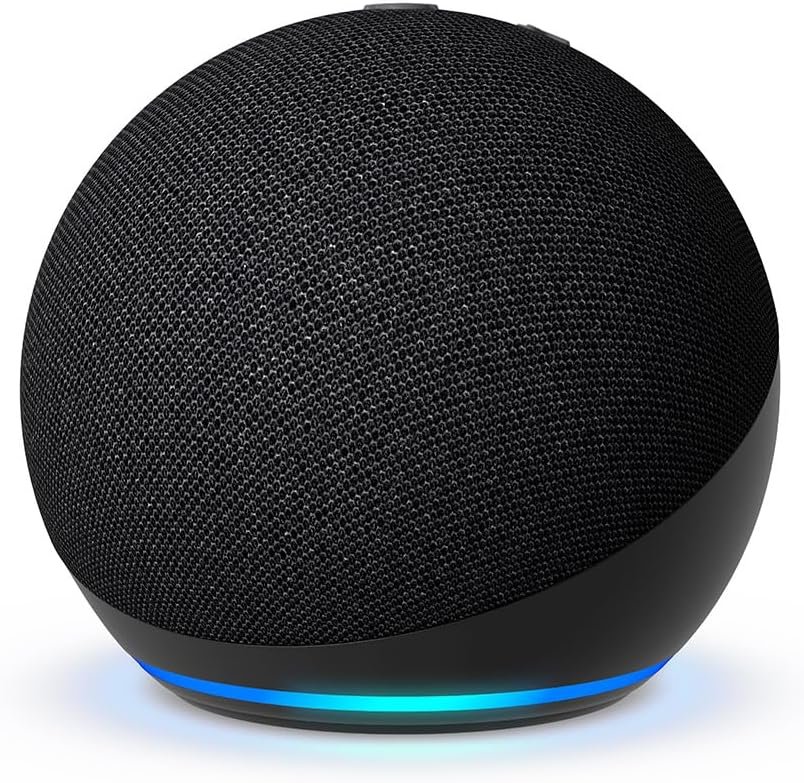
If you are looking for a compact smart speaker that can play music, answer questions, set alarms, control compatible smart-home devices, and fit neatly into almost any room, the Amazon Echo Dot (newest model) in Charcoal is one of the most recognizable options in the Alexa ecosystem.
The model covered in this review is the Echo Dot 5th Generation, model B09B8V1LZ3, which Amazon’s product listing has been marketed as the “Echo Dot (newest model)” with vibrant sound, Alexa+, and a design intended for bedrooms, dining rooms, and offices. Retail listings identify the same model as the 5th-generation 2022-release Echo Dot.
One important clarification is worth making at the beginning: Amazon’s Echo lineup has expanded since this Echo Dot was introduced. Amazon now also sells newer devices such as the Echo Dot Max. Therefore, “newest model” in the Amazon product title should not necessarily be interpreted as meaning the newest Echo-branded speaker available in 2026. This review specifically focuses on the Charcoal Echo Dot B09B8V1LZ3.
So, is this small speaker still worth buying? For many people, yes. Its biggest strengths are its compact size, Alexa integration, surprisingly capable sound for its class, smart-home features, routines, voice control, and relatively accessible price compared with larger smart speakers.
Let’s take a detailed look at what makes the Echo Dot attractive, where it falls short, who should buy it, and whether it makes sense as your first Alexa device or as an addition to an existing smart home.
Amazon Echo Dot (Newest Model) Quick Verdict
Best for: Bedrooms, home offices, dining rooms, kitchens, dorm rooms, small apartments, smart-home beginners, and people who want Alexa without purchasing a large speaker.
Color: Charcoal
Generation: Echo Dot 5th Generation
Model: B09B8V1LZ3
Voice assistant: Alexa, with Alexa+ availability depending on account, region, and current Amazon rollout
Connectivity: Wi-Fi and Bluetooth
Power: Wired power; this is not a battery-powered portable speaker
Display: No clock display on the standard Charcoal model
Smart-home capabilities: Compatible with supported Alexa smart-home devices and routines
Best feature: The combination of a small footprint, Alexa voice control, and useful everyday functions.
Main limitation: It is a compact smart speaker, not a replacement for a large premium audio system.
The Echo Dot 5th Generation has remained popular because it doesn’t try to do everything through a screen. Instead, it focuses on voice interaction.
You can ask Alexa to play music, set timers, provide weather information, create reminders, answer questions, control compatible lights, and perform many other supported tasks. Amazon describes Alexa+ as a next-generation assistant capable of more natural conversations and completing everyday tasks, although availability and capabilities vary by market and account.



What Is the Amazon Echo Dot?
The Amazon Echo Dot is a small smart speaker designed around Amazon’s Alexa voice assistant.
Unlike a traditional Bluetooth speaker, the Echo Dot is intended to remain connected to your home’s Wi-Fi network and become part of your everyday environment.
That distinction is important.
A conventional Bluetooth speaker might primarily exist to play music from your phone. The Echo Dot can certainly play music, but its real purpose is broader.
It can become a voice-controlled interface for your home.
You can walk into your bedroom and say:
“Alexa, set an alarm for 7 AM.”
You can sit at your desk and say:
“Alexa, set a 25-minute timer.”
You can be cooking and ask:
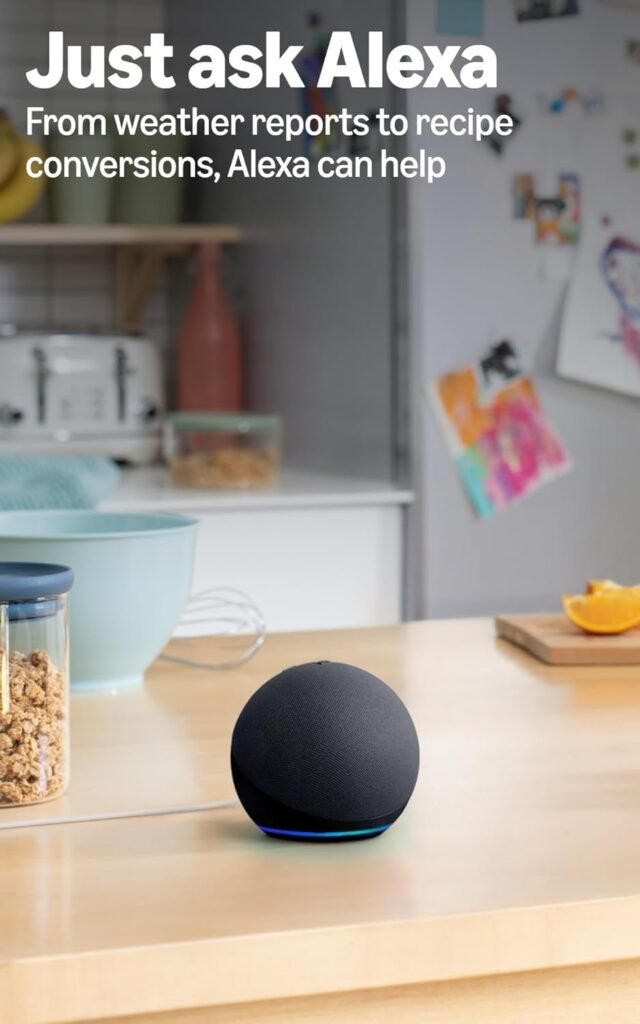
“Alexa, how many teaspoons are in a tablespoon?”
You can connect compatible smart lights and say:
“Alexa, turn off the bedroom lights.”
This hands-free approach is one of the biggest reasons Echo devices have become so popular.
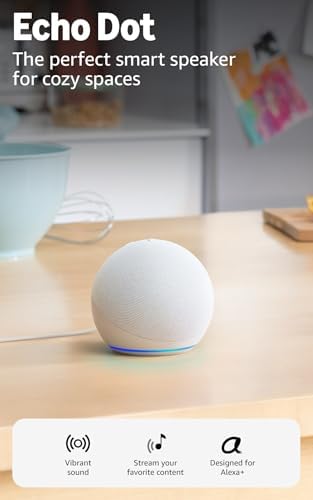
- Your favorite music and content – Play music, audiobooks, and podcasts from Amazon Music, Apple Music, Spotify and other…
- Alexa is happy to help – Ask Alexa for weather updates and to set hands-free timers, get answers to your questions and e…
- Keep your home comfortable – Control compatible smart home devices with your voice and routines triggered by built-in mo…
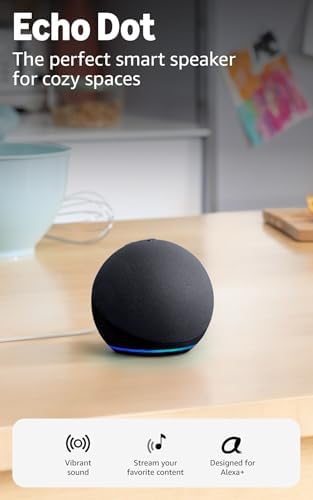
- Your favorite music and content – Play music, audiobooks, and podcasts from Amazon Music, Apple Music, Spotify and other…
- Alexa is happy to help – Ask Alexa for weather updates and to set hands-free timers, get answers to your questions and e…
- Keep your home comfortable – Control compatible smart home devices with your voice and routines triggered by built-in mo…

- Your favorite music and content – Play music, audiobooks, and podcasts from Amazon Music, Apple Music, Spotify and other…
- Alexa is happy to help – Ask Alexa for weather updates and to set hands-free timers, get answers to your questions and e…
- Keep your home comfortable – Control compatible smart home devices with your voice and routines triggered by built-in mo…
Echo Dot 5th Generation: Design and Appearance
The Charcoal Echo Dot has a compact, rounded design covered with fabric.
It is deliberately understated.
Rather than looking like a piece of complicated technology, the speaker is designed to blend into your room.
The Charcoal finish is particularly versatile because it works with dark furniture, modern desks, bedroom nightstands, shelves, entertainment centers, and office environments.
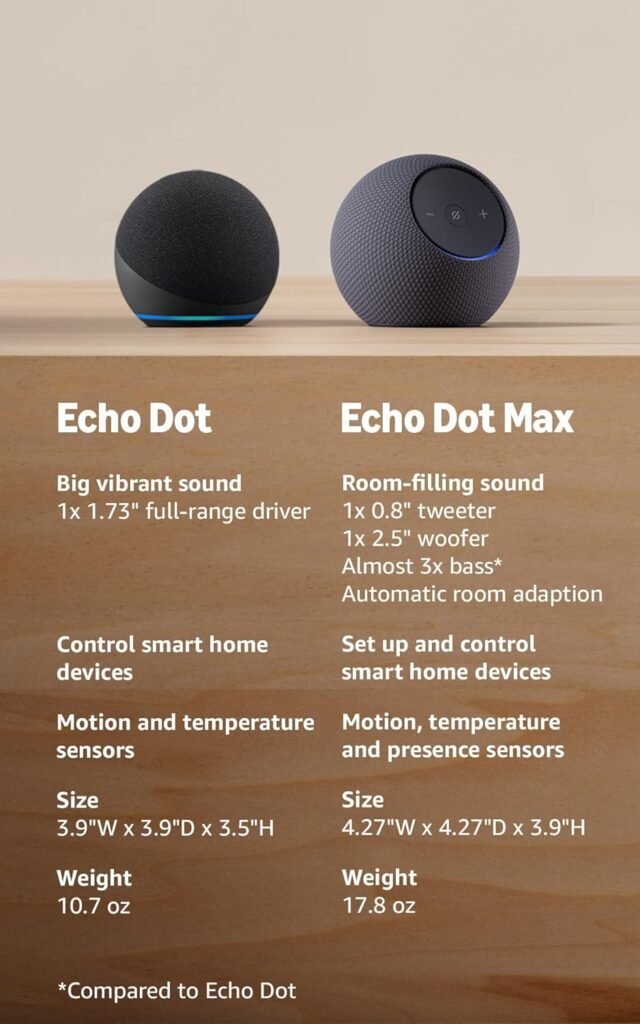
The fifth-generation Echo Dot measures approximately 3.9 × 3.9 × 3.5 inches and weighs around 10.7 ounces, according to B&H’s specifications for the Charcoal model.
That makes it considerably easier to position than a large smart speaker.
You don’t need a dedicated speaker stand.
You don’t need a large entertainment cabinet.
You can place it on a nightstand, desk, shelf, kitchen counter, or side table as long as there is a suitable power connection and Wi-Fi coverage.
Why the small size matters
Smart speakers are often used in locations where space is limited.
A bedroom nightstand, for example, might already contain a lamp, phone charger, books, glasses, and other items.
A huge speaker could feel intrusive.
The Echo Dot’s small footprint makes it easier to incorporate into an existing setup.
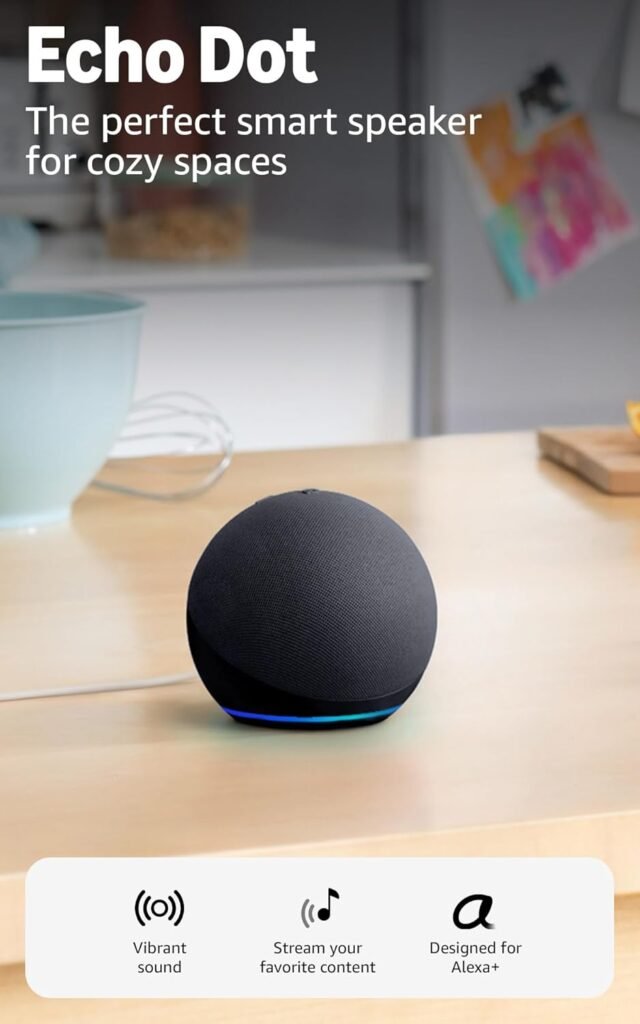
This is one reason Amazon specifically positions the product for bedrooms, dining rooms, and offices.
The Charcoal Color: Simple and Professional
Color may seem like a minor consideration, but smart speakers often remain visible 24 hours a day.
The Charcoal version has a neutral appearance.
For a home office, it can look more professional than a bright-colored speaker.
For a bedroom, it blends into darker furniture.
For a minimalist setup, it doesn’t demand attention.
The fabric exterior also gives the speaker a softer appearance compared with a glossy plastic electronics product.
If your priority is a smart speaker that looks relatively discreet rather than flashy, Charcoal is an easy choice.
Sound Quality: How Good Is the Echo Dot?
The most important question for many buyers is simple:
How does it sound?
The Echo Dot is surprisingly capable for a speaker of its size, but expectations matter.
You should think of it as a compact smart speaker with good everyday audio, rather than a dedicated audiophile speaker.
The fifth-generation model was designed to provide a more vibrant sound experience than earlier Echo Dot generations. Independent testing of previous Echo Dot models has shown the limitations that naturally come with very small speaker hardware, particularly when it comes to deep bass and maximum volume.
That doesn’t mean the Echo Dot sounds bad.
Quite the opposite.
For casual listening, podcasts, audiobooks, news, voice responses, background music, and everyday entertainment, it can be very useful.
Music
The Echo Dot works well for casual music listening.
It is particularly suitable for:
- Bedrooms
- Home offices
- Kitchens
- Small dining areas
- Dorm rooms
- Small apartments
- Background music
You can use supported music services through Alexa and compatible accounts.
The small size also means you can place the speaker relatively close to where you’re sitting.
Podcasts and audiobooks
This is an area where compact speakers make a lot of sense.
Voice-focused content doesn’t require the huge bass response of a movie soundtrack.
The Echo Dot’s compact design can provide clear enough spoken audio for podcasts, audiobooks, news, and Alexa’s responses.
If your main listening consists of spoken content, you may not feel the need for a much larger speaker.
Bass expectations
There is one important limitation.
A small speaker cannot magically reproduce the physical low-frequency performance of a much larger speaker.
Independent testing of earlier Echo Dot generations has found limitations in low-bass reproduction and maximum loudness.
Therefore, if you want powerful bass for parties or room-filling music, you should consider a larger speaker.
The Echo Dot is better suited to everyday listening than high-volume entertainment.
Alexa: The Real Reason to Buy an Echo Dot
Sound is only half of the Echo Dot experience.
The other half is Alexa.
This is where the Echo Dot becomes much more than a small speaker.
Instead of opening an app every time you want to perform a simple task, you can simply speak.
That can make surprisingly small tasks much easier.
Everyday Questions
Alexa can provide answers to many everyday questions.
You can ask about:
- Weather
- Time
- General information
- Measurements
- Timers
- Alarms
- Reminders
- Sports information
- Supported news
- Simple calculations
- General entertainment
The advantage is convenience.
You don’t have to stop what you’re doing.
If you’re preparing dinner, working at your desk, or getting ready for bed, you can simply ask.
Alexa for the Bedroom
The bedroom is one of the best places for an Echo Dot.
Why?
Because many bedroom tasks are naturally voice-controlled.
You can use it for alarms.
You can use it for timers.
You can play relaxing music.
You can listen to podcasts.
You can ask questions without reaching for your phone.
You can create routines.
And if you connect compatible smart-home products, you can control lights or other devices by voice.
Imagine getting into bed and realizing that the bedroom light is still on.
Instead of getting up, you can simply say:
“Alexa, turn off the bedroom light.”
That’s a small convenience, but smart-home products become valuable when these little conveniences happen repeatedly.
Echo Dot for the Home Office
The Echo Dot can also be useful in a home office.
A desk is already a place where multitasking happens.
You might be writing an article while listening to music.
You might be preparing a presentation while keeping track of time.
You might be working through a long task and need a reminder.
Voice commands can reduce the number of interruptions.
For example:
“Alexa, set a 30-minute timer.”
Then you can focus on your work.
You can also use Alexa for alarms, reminders, music, podcasts, and supported smart-home controls.
For people who spend many hours working at a desk, a voice assistant can become a convenient productivity accessory.
Echo Dot in the Dining Room
The dining room is another practical location.
Music can create atmosphere during meals.
Alexa can also be useful when you’re cooking or preparing food nearby.
You can ask for timers without touching your phone with messy hands.
You can play music while eating.
You can ask questions while preparing a meal.
And with compatible smart-home products, you can control lighting without leaving the table.
The Echo Dot’s small footprint also means it doesn’t need to occupy much table or shelf space.
Smart-Home Control
The Echo Dot becomes significantly more useful when you own compatible smart-home products.
You can connect supported devices such as smart lights, plugs, thermostats, and other compatible accessories.
Then Alexa becomes the voice interface for your home.
For example:
“Alexa, turn on the living room lights.”
“Alexa, turn off the office light.”
“Alexa, set the thermostat to 72 degrees.”
The exact commands and capabilities depend on the device and integration.
The Echo Dot can also participate in Alexa routines.
What Are Alexa Routines?
Routines allow you to combine multiple actions.
Instead of performing several individual commands, you can create a routine triggered by a specific phrase or event.
For example, a morning routine might:
- Provide information.
- Turn on compatible lights.
- Start supported music.
- Provide reminders.
- Perform other compatible actions.
This is where a smart speaker starts to feel less like a gadget and more like a home automation interface.
Amazon continues to expand Alexa’s capabilities, including AI-assisted functions through Alexa+. Amazon describes Alexa+ as capable of more conversational interactions, organization, entertainment, and real-world task completion.
Alexa+ and the Echo Dot
Alexa+ is one of the biggest changes to Amazon’s Alexa ecosystem.
Amazon describes Alexa+ as its next-generation AI assistant, designed to handle more natural conversations and help with everyday tasks.
However, buyers should be careful when reading the phrase “Designed for Alexa+.”
It doesn’t necessarily mean that every Alexa+ feature works identically everywhere.
Availability can depend on:
- Country
- Account
- Subscription status
- Early-access status
- Supported services
- Device compatibility
- Amazon’s current rollout
Amazon has also expanded Alexa+ beyond physical Echo devices, including access through the web for eligible users.
Therefore, Alexa+ should be viewed as an evolving software experience rather than the only reason to purchase this particular Echo Dot.
The Echo Dot’s traditional Alexa capabilities remain an important part of its value.
Privacy Features
Privacy is naturally an important consideration when purchasing a smart speaker.
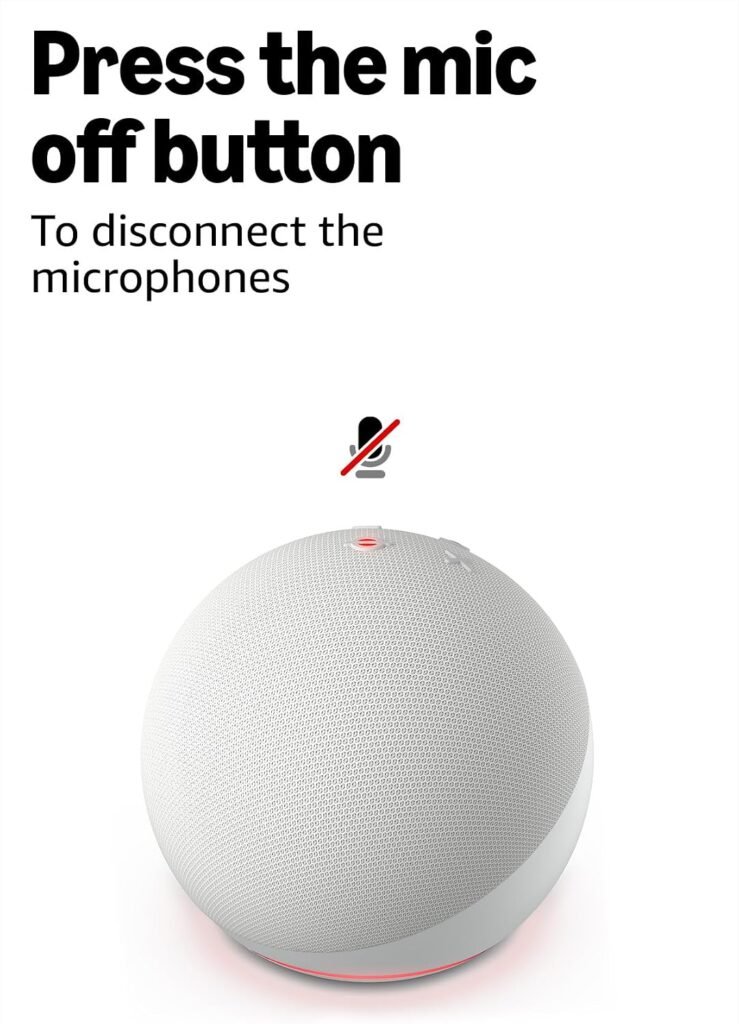
The Echo Dot has a physical microphone-off control.
When privacy is a concern, you can use the microphone mute function.
This is especially useful in bedrooms, offices, or other private areas.
Smart speakers are designed to respond to a wake word, but some users are understandably uncomfortable with voice-enabled technology.
The best approach is to understand the controls available and configure the device according to your comfort level.
Amazon has emphasized privacy controls across its Echo product ecosystem, including microphone controls.
Does the Echo Dot Have a Screen?
No.
The standard Charcoal Echo Dot does not have a built-in clock display.
This is important because Amazon also sells Echo Dot variants with clock displays.
If you want an Echo device that visibly displays the time, you need to make sure you are purchasing the clock version.
The standard Charcoal model is primarily a voice-controlled speaker.
Retail information for the fifth-generation Charcoal model confirms that it does not include the LED clock display found on the clock version.
For some people, that is actually an advantage.
No screen means fewer visual distractions.
For others, a clock is essential.
So check the exact model before buying.
Connectivity
The Echo Dot is designed to work over Wi-Fi and also supports Bluetooth connectivity.
B&H lists Wi-Fi 5 dual-band connectivity on the fifth-generation Charcoal model, along with Bluetooth support.
This gives you flexibility in how you use the device.
The most important connection is your home’s Wi-Fi network because Alexa’s smart features depend heavily on internet connectivity.
If your Wi-Fi is unreliable, your overall experience may also suffer.
This is worth considering before purchasing any internet-connected smart speaker.
Does the Echo Dot Work Without Internet?
The Echo Dot is not designed to function as a completely independent offline speaker.
Many of Alexa’s smart features require an internet connection.
That includes cloud-based voice assistant functions and many online services.
Bluetooth functionality can be useful for compatible audio scenarios, but you should not purchase the Echo Dot expecting it to behave exactly like a standalone battery-powered Bluetooth speaker.
This is a connected smart-home device.
Is the Echo Dot Portable?
Not in the traditional sense.
The Echo Dot requires external power.
It doesn’t have an internal battery designed for taking it around the house or outside.
If you want a portable Bluetooth speaker, a dedicated battery-powered speaker is probably a better choice.
The Echo Dot’s strength is its ability to remain permanently positioned in a room and always be ready for voice commands.
Echo Dot vs. a Traditional Bluetooth Speaker
These products may look similar at first, but they serve different purposes.
A traditional Bluetooth speaker is primarily about audio.
You connect your phone and play music.
The Echo Dot is about:
- Voice assistance
- Smart-home control
- Timers
- Alarms
- Reminders
- Questions and answers
- Music
- Podcasts
- Routines
- Connected services
If music quality is your number-one priority, a dedicated speaker may be better.
If convenience and voice control matter more, the Echo Dot becomes much more interesting.
Echo Dot vs. Echo Dot Max
This is a particularly important comparison in 2026.
Amazon’s newer Echo Dot Max sits above the standard Echo Dot in the current lineup.
Independent reviews describe the Dot Max as a larger, more premium speaker with improved bass and additional smart-home capabilities.
So why would anyone still buy the standard Echo Dot?
Price and size.
The standard Echo Dot is considerably more compact.
If you’re putting a speaker on a nightstand or small desk, the larger Dot Max may be unnecessary.
The standard Dot also continues to provide the core Alexa experience.
For a bedroom, office, dorm, or small space, the smaller model can make more sense.
If you want stronger sound and more advanced hardware, the Dot Max deserves consideration.
Who Should Buy the Echo Dot?
The Echo Dot is a particularly good match for several types of buyers.
1. Smart-Home Beginners
If you have never owned an Alexa device, the Echo Dot is an approachable way to start.
You don’t need a complicated home automation system.
Start with the speaker.
Then add compatible smart lights or plugs later.
2. Students
The compact size makes the Echo Dot suitable for dorm rooms and small apartments.
Students can use it for:
- Alarms
- Timers
- Music
- Podcasts
- Study reminders
- Questions
- Basic smart-home control
Because it occupies little desk or shelf space, it can fit into smaller living environments.
3. Home-Office Workers
A home office can benefit from hands-free timers, reminders, music, and information.
The Echo Dot can sit next to your monitor without dominating the desk.
4. Bedroom Users
This is arguably one of the strongest use cases.
An Echo Dot can act as:
- Alarm
- Music player
- Podcast speaker
- Timer
- Voice assistant
- Smart-light controller
The small footprint makes it particularly convenient for a nightstand.
5. Existing Alexa Users
If you already use Alexa throughout your home, adding another Echo Dot can extend Alexa coverage to another room.
You can create a more consistent voice-controlled environment across multiple spaces.
Who Should NOT Buy the Echo Dot?
The Echo Dot isn’t perfect for everyone.
You may want something else if:
You want powerful room-filling audio
A larger speaker will generally be better.
You want a battery-powered speaker
The Echo Dot requires power.
You want a visual display
Choose an Echo device with a screen or clock instead.
You are an audiophile
A dedicated high-end speaker system will offer better sound quality.
You don’t want an internet-connected device
The Echo Dot is fundamentally designed around connected Alexa functionality.
Pros and Cons
Pros
- Compact design
- Attractive Charcoal finish
- Alexa built in
- Useful voice control
- Good everyday sound for its size
- Suitable for bedrooms
- Excellent for home offices
- Useful for dining rooms and kitchens
- Smart-home compatibility
- Alexa routines
- Bluetooth support
- Dual-band Wi-Fi
- Physical microphone mute control
- Easy to integrate into an existing Alexa ecosystem
Cons
- Requires wall power
- Not designed for outdoor portability
- Not a premium audiophile speaker
- Limited deep-bass performance compared with larger speakers
- No built-in clock on the standard Charcoal model
- Some advanced Alexa+ capabilities depend on availability and account eligibility
- A larger Echo may be better for large rooms
Is the Amazon Echo Dot Worth It?
The answer depends on what you’re expecting.
If you’re expecting a $50-class compact smart speaker to replace a premium stereo system, you may be disappointed.
But if you want a small device that can combine useful voice assistance, casual music playback, smart-home control, alarms, timers, reminders, and Alexa functionality, the Echo Dot is a compelling option.
Its greatest strength isn’t any individual feature.
It’s the combination.
A speaker alone is useful.
A timer alone is useful.
A smart-home controller alone is useful.
A voice assistant alone is useful.
The Echo Dot combines all of these into one small device.
That’s why the product continues to attract buyers.
Current third-party Amazon-market data also shows substantial demand for the B09B8V1LZ3 Charcoal model, although sales and review figures from marketplace analytics should be treated as estimates rather than official Amazon figures.
Echo Dot for a Bedroom: Is It a Good Choice?
Yes.
For many buyers, the bedroom may actually be the best location.
Consider a typical morning.
Your alarm goes off.
You want to know the weather.
You want music.
You want to turn on compatible lights.
You want reminders.
You can handle many of these tasks through voice commands.
At night, you can ask Alexa to set an alarm or timer.
You can also use it for relaxing audio.
The speaker doesn’t need much space, which is particularly useful on a nightstand.
Echo Dot for a Home Office: Is It Worth It?
Again, yes.
The home office is another strong use case.
You can use voice commands while working without switching windows or reaching for your phone.
For example:
“Alexa, set a timer for 45 minutes.”
Work.
Then:
“Alexa, stop.”
You can also use compatible routines to automate parts of your workday.
For productivity-focused users, the Echo Dot isn’t necessarily about doing complicated tasks.
It’s about removing friction from small tasks.
Echo Dot for a Smart Home
If you’re planning to build a smart home, the Echo Dot can serve as a useful entry point.
Start small.
You don’t need dozens of smart devices.
A basic setup could include:
- Echo Dot
- Smart bulb
- Smart plug
Once connected, voice control becomes available for supported functions.
You might say:
“Alexa, turn on the desk lamp.”
Or:
“Alexa, turn off everything.”
The exact functionality depends on the devices and integrations you choose.
As your smart home grows, you can create more sophisticated routines.
How Many Echo Dots Do You Need?
There isn’t a universal answer.
One Echo Dot may be enough for a small apartment.
A larger home may benefit from multiple devices.
The main reason to add multiple Echo devices is coverage.
If the speaker is in the bedroom but you’re working in the office, you may not want to shout across the house.
Putting an Echo Dot in frequently used rooms makes voice control more convenient.
However, don’t feel pressured to purchase multiple units immediately.
Start with one.
Learn how you use it.
Then decide whether another room would benefit from one.
Echo Dot as a Gift
The Echo Dot can also make a practical technology gift.
It is especially suitable for someone who:
- Uses Amazon services
- Wants to try Alexa
- Likes smart-home products
- Enjoys podcasts
- Wants hands-free timers and alarms
- Works from home
- Is setting up a dorm room
- Wants a compact speaker
Because it is relatively small, it is easier to gift than a large home audio system.
The Charcoal color is also neutral enough for most interiors.
What About Sound for Parties?
This is where you should manage expectations.
The Echo Dot can play music at a useful volume for casual listening.
But if you’re hosting a large party, you probably want a larger speaker.
The compact Dot is better for:
“Music while I work.”
“Music while I cook.”
“Music while I relax.”
rather than:
“I need powerful sound for 50 people.”
For large rooms, larger Echo models or dedicated Bluetooth speakers are better choices.
Does the Echo Dot Have Good Microphones?
Voice recognition is one of the fundamental purposes of the device.
The Echo ecosystem has historically been designed around far-field voice interaction, allowing users to speak to Alexa without holding a phone directly in front of them.
Real-world performance can vary based on room acoustics, distance, background noise, music volume, and network conditions.
No microphone system is perfect.
However, the ability to communicate with a voice assistant from across a room is a major part of the Echo Dot’s appeal.
Setup Experience
Setting up an Echo Dot generally involves connecting it to power, using the Alexa ecosystem to configure the device, connecting it to Wi-Fi, and signing into the relevant Amazon account.
The process is designed for mainstream consumers rather than technical users.
Once connected, you can begin exploring commands.
For beginners, it is best not to install everything at once.
Start with basic functions.
Try:
“Alexa, what time is it?”
Then:
“Alexa, set a timer for five minutes.”
Then:
“Alexa, play music.”
Once you’re comfortable, explore routines and compatible smart-home devices.
Tips to Get More From Your Echo Dot
Tip 1: Put It Where You Actually Spend Time
Don’t hide the speaker in a cabinet.
Place it somewhere convenient.
Your nightstand, desk, kitchen counter, or shelf can be ideal.
Tip 2: Keep the Microphone Unobstructed
Avoid placing it behind objects that could interfere with voice pickup.
Tip 3: Explore Routines
Routines can turn simple voice commands into multi-step automation.
Tip 4: Connect Compatible Smart Devices
A smart speaker becomes more useful when it can control other devices.
Tip 5: Adjust Expectations About Audio
Remember that this is a compact speaker.
For premium music listening, use larger hardware.
Tip 6: Check Alexa+ Availability
Alexa+ capabilities and access can change over time and vary by location and account.
Don’t purchase based solely on one advertised AI feature.
Frequently Asked Questions
Is the Amazon Echo Dot the newest Echo?
The product discussed here is the Echo Dot 5th Generation, model B09B8V1LZ3, which is still sold under the “Echo Dot (newest model)” product title. However, Amazon has introduced newer Echo products, including the Echo Dot Max, so the phrase “newest model” should be understood as the product listing’s naming rather than a claim that it is Amazon’s newest Echo hardware overall.
What generation is this Echo Dot?
The Charcoal B09B8V1LZ3 is the Echo Dot 5th Generation.
Does the Echo Dot have Alexa?
Yes. Alexa is the central voice-assistant experience of the Echo Dot.
Does it have a clock?
The standard Charcoal model does not have a built-in clock display. Amazon also sells separate Echo Dot with Clock models.
Can Echo Dot play music?
Yes. Music playback is one of its core uses, although its small size means it isn’t intended to compete with large premium speakers.
Can Echo Dot control smart lights?
Yes, when the lights are compatible with Alexa.
Can I use Echo Dot in my bedroom?
Absolutely. The compact size and voice-controlled alarms, timers, music, and smart-home functions make the bedroom one of its most practical locations.
Can I use Echo Dot in an office?
Yes. It can be useful for timers, reminders, music, podcasts, questions, and compatible smart-home controls.
Does Echo Dot require Wi-Fi?
Alexa’s connected functionality relies on an internet connection, so Wi-Fi is an important part of the normal Echo Dot experience.
Is the Echo Dot battery powered?
No. It is designed to be powered from an electrical outlet.
Is Echo Dot good for music?
It is good for casual music listening, podcasts, and everyday audio. If your priority is powerful bass, very high volume, or audiophile-level performance, a larger speaker is a better option.
Does Echo Dot support Alexa+?
Alexa+ support and features depend on Amazon’s current availability, account eligibility, and location. Amazon describes Alexa+ as its next-generation AI assistant with more conversational and task-oriented capabilities.
Final Verdict: Should You Buy the Amazon Echo Dot?
The Amazon Echo Dot (newest model) in Charcoal remains an appealing compact smart speaker for people who want Alexa without taking up much space.
Its strongest advantage is versatility.
It can be an alarm clock replacement, music speaker, podcast player, kitchen assistant, home-office timer, smart-home controller, reminder assistant, and voice-controlled information source—all from one compact device.
The Charcoal finish is understated and easy to place in almost any room.
The fifth-generation hardware provides a useful balance between size, functionality, and everyday audio performance.
However, it is important to buy it for the right reasons.
Don’t purchase the Echo Dot if your primary objective is high-end music performance.
Don’t buy it if you need a battery-powered outdoor speaker.
And don’t assume the phrase “newest model” means it is the newest Echo device Amazon sells in 2026. Amazon’s lineup now includes products such as the Echo Dot Max, which offers larger hardware and stronger audio capabilities.
Instead, buy the standard Echo Dot if you want something small, affordable, convenient, and deeply integrated with Alexa.
For bedrooms, offices, dorm rooms, kitchens, and smaller living spaces, that combination is still extremely compelling.
Our overall assessment
Design: 9/10
Smart features: 9/10
Alexa experience: 9/10
Sound for its size: 8/10
Large-room audio: 6/10
Ease of use: 9/10
Space efficiency: 10/10
Overall value: 9/10
If you are ready to add Alexa to your home, the Echo Dot is a sensible place to start.
Check the latest Amazon price, available discounts, colors, and customer reviews before buying, because Amazon pricing and promotions can change frequently.
👉 Check the Amazon Echo Dot price and availability here:
Final Buying Advice
Before clicking the purchase button, check three things.
First, confirm that you’re buying the Charcoal Echo Dot B09B8V1LZ3 if this is the model you specifically want.
Second, check whether the listing is the standard Echo Dot or an Echo Dot with Clock.
Third, check Alexa+ availability in your country and account before making Alexa+ a deciding factor.
If you want a compact smart speaker for everyday use rather than a premium audio system, the Echo Dot remains an easy product to recommend.
It is small enough to disappear into your room, smart enough to become part of your daily routine, and flexible enough to grow with a compatible smart-home setup.
For many users, that’s exactly what a smart speaker should be.